What’s Inside a Data Center? How the Boring Buildings Power the Internet
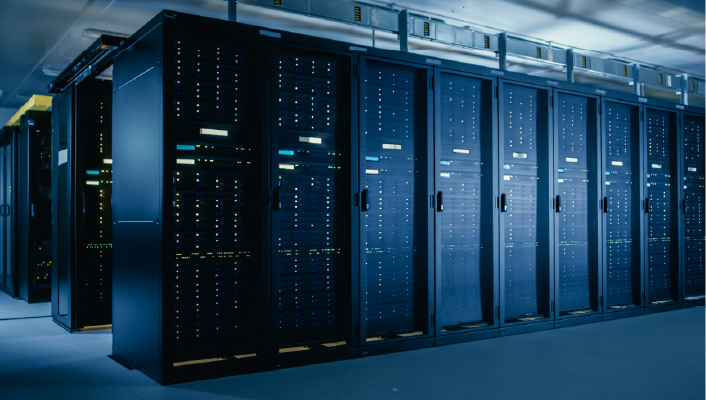
From the outside, the data center is not particularly impressive.
There may be no windows. No customers walking in. No products on display. Just a large building, a lot of concrete and an enormous amount of machinery. Yet inside, some of the most consequential infrastructure in the digital economy is being built. And increasingly, the difficult part isn't putting servers inside the building. It's making sure everything around those servers can keep up.
That matters more now because the machines inside data centers are changing rapidly. AI workloads are pushing computing density higher, moving more data between machines and demanding more from the electrical and cooling systems that support them. The result is a shift in how data center infrastructure needs to be designed.
The question is no longer simply, "How many servers can this facility hold?"
What is a Data Center in Layman’s Term?
Data center infrastructure is everything in that building that isn't the software. It's the power supply that feeds it, the cooling that prevents it from overheating, the servers and chips doing the work, and the cables connecting them all.
If the software is the tenant, data center infrastructure is the building, the wiring, the plumbing, and the electricity meter.
The Six Layers of Data Center
There are six, and each one now behaves differently from how it did five years ago.
Compute and Storage
Servers, CPUs, GPUs, accelerators, memory, and storage systems. These perform actual computing and data processing work.
Power Infrastructure
Power infrastructure delivers electricity to the IT equipment and keeps it available when the primary supply is interrupted. It can include utility connections, transformers, switchgear, UPS systems, batteries, generators, and power distribution equipment.
Cooling Infrastructure
Servers and accelerators generate heat as they consume electricity. Cooling infrastructure, air cooling, chillers, heat exchangers, and liquid-cooling systems where required, removes that heat and keeps equipment within its operating range.
Network and Optical Connectivity
Network switches, routers, network fabrics, transceivers and fiber-optic cabling allow servers, GPUs, storage and external networks to communicate. This layer becomes particularly important as workloads require higher bandwidth and lower latency. It is also the layer where design decisions are hardest to reverse later, which is why it increasingly starts with the physical layer.
Physical Infrastructure
Racks, pathways, space allocation, fire protection, physical security, and building systems provide the environment in which the IT and facility equipment operates.
Monitoring and Management
Sensors and management systems track variables such as power, temperature, humidity, equipment status, and other operating conditions.
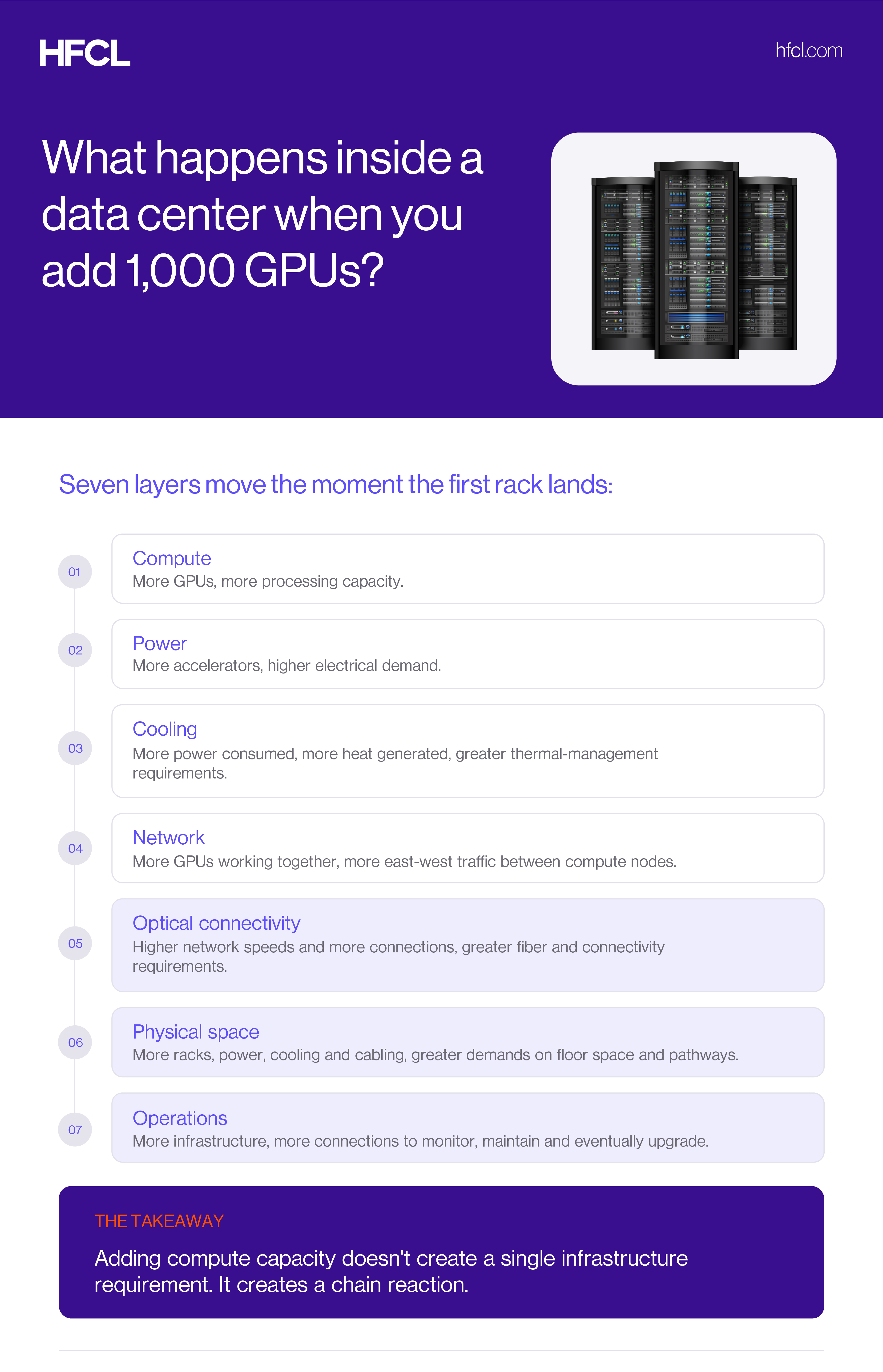
The important point is that these components cannot be planned in isolation. Add more compute, and you may need more power. More power produces more heat. More distributed compute can generate more network traffic. More network traffic can require more high-speed connectivity and physical fiber capacity.
That chain reaction is what makes data center infrastructure an engineering system rather than a collection of equipment.
Why Data Center Infrastructure No Longer Fits in One Building
Microsoft built one of these on former farmland in Mount Pleasant, Wisconsin. According to Microsoft, the site covers 315 acres and holds three buildings totalling 1.2 million square feet, running hundreds of thousands of NVIDIA GPUs cooled by liquid piped right up against them.
Then it built a second one near Atlanta, roughly seven hundred miles away.
The two are joined by a dedicated fiber-optic link Microsoft calls its AI WAN, and they work on the same job at the same time. Not two data centers. One computer split in half, seven hundred miles in the middle.
Nobody would design a computer this way by choice. The distance imposes a latency floor that no amount of engineering removes. Microsoft's own explanation is that a single site can no longer contain a frontier training run, and that distributing it across campuses improves utilization, resilience, and cost efficiency. The most likely binding constraint is the one everyaoperator is now hitting: there isn't enough electricity available in one place, quickly enough, to build it any other way.
That is how an electricity problem becomes a cable problem. If you can't get all your power in one location, you take smaller amounts in several locations and join them together. And once you've done that, the quality of the link between them becomes part of the machine.
Why Data Center Is Suddenly So Hard to Build
The short answer: the world can't build power fast enough for what it wants to compute.
Space is effectively gone. CBRE put the vacancy rate across the eight primary North American data center markets at a record-low 1.4% at the end of 2025, and that was despite total capacity in those markets growing 36% year on year. By the first quarter of 2026, Northern Virginia was down to 0.3%. Roughly 80% of capacity under construction in the top US markets is already pre-leased, and tenants are now signing up for space that won't be delivered for three to four years.
Getting connected takes longer than most plans assume. In PJM territory, projects now average more than three years just to reach an interconnection service agreement, then wait several more years to actually come online while transmission and substation work catches up.
Even the equipment has a queue. A transformer, the steel box that turns high-voltage power into something a building can use, is now one of the hardest items to source. Wood Mackenzie's 2026 reading puts substation transformer lead times above 160 weeks, roughly three years, with the largest high-voltage units stretching toward four.
And this is reaching ordinary electricity bills. In its December 2025 capacity auction, the PJM grid operator cleared at the federally approved price cap across its entire territory and still did not secure enough capacity to meet its reliability requirement, the first time that has happened since the market launched in 2007. The total cost came to USD 16.4 billion. PJM's independent market monitor attributed about 40% of that, roughly USD 6.5 billion, to data center load, and around USD 6.2 billion of it to data centers that have not been built yet.
That last figure is worth sitting with. A meaningful share of a multi-billion-dollar capacity bill is being paid for buildings that currently exist only as forecasts.
How AI Changed Data Center from the Inside
Old data centers didn't have much internal conversation. You asked for a webpage; a server sent it back. The machines rarely needed to talk to each other, and if one was slow, one thing was slow.
AI works differently. Thousands of chips each do a small piece of the work, then all stop and compare notes, then start the next piece. Over and over, millions of times. This is the shift that has transformed data center network infrastructure from a supporting utility into a determinant of performance.
Think of eight people carrying a heavy table up a staircase. Nobody moves at their own speed. Everyone moves at the pace of the slowest person, and if one stumbles, they all stand there waiting.
So, a slow connection doesn't slow one chip down. It stops all of them.
Here's why that matters to whoever is paying. A rack of these accelerators costs millions of dollars, and it only earns anything while it's working. What keeps it working is the cabling, which, by comparison, is a small fraction of the bill. On NVIDIA's flagship rack, the entire copper interconnect runs to around USD 220,000 against a rack costing several million.
In modern data center infrastructure, one of the cheapest layers decides whether the most expensive one pays for itself. That is the real bottleneck in AI infrastructure, and it is not the one that gets the headlines.
How Fast Can Data Center Actually Be Built?
When xAI built its Memphis site with 100,000 GPUs, everyone reported the chip count. The number worth noticing was 122, the days it took to go from an empty factory shell to a training-ready cluster, according to NVIDIA. Nineteen of those days were between the first rack rolling onto the floor and training beginning.
Timelines like that are not achieved by any single decision. They come from running facility preparation, power, cooling, and networking as parallel workstreams rather than sequential ones, and from removing every step that can be removed.
But there is a general principle worth drawing out, because it applies to any build under schedule pressure. Field-terminated cabling is slow, labour-dependent work, and its defects tend to stay hidden until the system is powered on. Pre-terminated, factory-tested assemblies move that work off the critical path and into a controlled environment. Pre-connectorization has been standard practice in fast fiber rollouts for years for exactly this reason.
Cabling used to be sorted out at the end. It has become one of the few places left where a schedule can still recover months.
Copper or Fiber: What Actually Connects a Data Center
Inside a single rack, copper still wins, and it's worth being honest about that.
When NVIDIA built its GB200 NVL72 rack, wiring 72 GPUs together tightly enough that they behave as one, it used copper. Over five thousand cables, more than two miles of it, packed into cartridges behind a single rack. NVIDIA's stated reason is power: converting all that traffic to light and back would have required transceivers and retimers drawing roughly 20 kilowatts, which the company would rather spend on computing.
But passive copper only manages a metre or two at these lane rates. Past that the signal falls apart, which is why the NVLink switch trays sit in the middle of the rack rather than the top. Every centimetre of cable length counts.
Step outside the rack and copper is finished. Rack to rack, room to room, city to city, it's all light through glass. The same physics that makes copper right in one place is what makes fiber necessary everywhere else, and it is why the role of multimode fiber inside the facility is being re-examined at every speed step.
The Cable Problem Nobody Sees
Nobody looks at an AI data center and says, "That's an impressive amount of fiber."
They look at the GPUs.
But those GPUs cannot operate as a large distributed system without the network connecting them.
At higher network speeds and densities, the physical layer becomes more demanding. More connections have to fit into finite rack space and cable pathways. Those connections have to be installed correctly, identified, maintained, and eventually upgraded. The fiber math behind hyperscale network design scales faster than most capacity plans anticipate.
This is where optical connectivity becomes more than a cabling decision. It becomes a space, deployment, and scalability decision.
For operators and infrastructure buyers, that raises practical questions:
- How much fiber density can the architecture support?
- How much physical space will the cabling consume?
- Can connectivity accommodate future bandwidth upgrades?
- How easily can connections be added or changed?
- Can technicians access and troubleshoot the system without creating unnecessary disruption?
- Does the architecture leave room for the next generation of networking?
These questions become particularly important as data centers move toward 800G and, beyond that, 1.6T network architectures. High-density interconnect design and modular fiber management are what make that migration possible without rebuilding the plant.
HFCL's OptiQ AI™ portfolio brings together optical fiber cables and connectivity components, including intermittently bonded ribbon (IBR) cables, fiber assemblies, trunks, patch cords, pigtails, cassettes and enclosure panels, for AI, cloud and hyperscale data center environments. The portfolio is built around high-density connectivity and migration toward 800G and 1.6T networks.
The larger lesson is independent of any particular supplier: the faster the network becomes, the harder it becomes to treat its physical infrastructure as an afterthought.
Hollow Core Fiber and the Future of Data Center Interconnect
Once your computer is split between two states, the distance itself becomes part of the design.
Light travels about 47% faster through air than through glass. So, if you build a fiber with a hollow middle and send light through air, you cut propagation delay by roughly a third. Microsoft reports up to 47% faster transmission and approximately 33% lower latency from its hollow core fiber design compared with conventional single-mode fiber.
That used to be a laboratory result. Microsoft now has over 1,200 kilometres of it installed underground and carrying live traffic, with a stated plan to add around 15,000 kilometres across the Azure network. It has also signed manufacturing partnerships with Corning and Heraeus to scale production, the clearest signal yet that this is moving from pilot to plant. Why hollow core fiber matters for low-latency optical design is worth understanding before the next interconnect decision, not after it.
What Data Center Infrastructure Looks Like in India
India is building a lot of these right now, under different pressure.
Operational capacity is around 1.8 gigawatts as of mid-2026, having added 258 MW in the first half of the year alone, a 59% increase on the same period a year earlier, according to Savills. Forecasts put the market above 7 gigawatts by 2030, with a development pipeline of roughly 4.5 gigawatts over the next five years.
The demand mix is broader than frontier AI training. Data localization rules, new submarine cable landings at Mumbai and Chennai, Airtel completed the SEA-ME-WE 6 landings across both cities, and ordinary enterprises finally moving off their own servers all feature, alongside hyperscalers, who account for the majority of new colocation demand.
That makes for a more practical kind of building. And it comes with an advantage that's easy to miss: when you're building new, you decide how it's wired on paper, before anything is poured.
Pulling fresh fiber through a building that's already running is one of the worst jobs in the industry. Far better to get it right the first time. That is as much a sustainability and energy-efficiency question as an engineering one.
Back to the Boring Building
No windows. No sign. Nobody going in or out.
But the electricity it needs is now moving national politics. The chips inside cost more than the building does. And the thing quietly deciding whether any of it earns its keep is a strand of glass thinner than a hair, running under the floor.
Not so boring.
HFCL makes the fiber and cabling that runs under those floors, under its OptiQ AI™ range. If you're planning capacity and want to talk through the connectivity side, our data center interconnect team is here.
FAQ
A data center is not simply a collection of servers surrounded by supporting equipment. Its infrastructure has to perform several jobs at once: deliver power, remove heat, move data, maintain availability, and leave enough room for the next generation of hardware.
That makes infrastructure design less about choosing individual components and more about how those components will work together over the life of the facility.
Fiber provides the high-bandwidth connectivity needed to move data between servers, GPUs, switches, and storage systems. This becomes increasingly important as AI workloads distribute computing across large numbers of accelerators that must exchange data continuously.
At higher network speeds, connectivity is no longer just about choosing the right transceiver. Data centers also have to manage fiber density, cable pathways, rack space, accessibility, and future upgrades. As connection counts grow, poorly planned cabling makes installation, maintenance and expansion measurably harder.
The network may be digital, but the infrastructure carrying it is very physical. For modern data center infrastructure, fiber has to be planned alongside the network, not added after it.
The evaluation criteria that matter most in practice are reliability, scalability, power and cooling efficiency, network performance, fiber density, standards compatibility, ease of maintenance, upgradeability and total cost of ownership.
Two failure modes are common. The first is buying on upfront cost alone, which tends to shift spending into installation labour, rework and early replacement. The second is optimising each component in isolation, selecting the best transceiver, the best switch and the cheapest cabling, then discovering they don't work well as a system.
The useful question is not "is this component good?" but "what does this component commit us to in three years?" Standards compliance, documented interoperability and pathway headroom are usually better predictors of long-term cost than any single specification sheet.
Future-ready data center infrastructure should account for changing compute density, power demand, cooling requirements, network speeds and connectivity, not just today's equipment. Facility infrastructure can remain in service through several generations of servers and networking hardware, which makes scalability essential.
Power and cooling systems should have expansion capacity, while network architecture and fiber pathways should accommodate higher bandwidth and additional connections. Physical layouts should also allow maintenance and upgrades without major disruption.
Cost matters beyond the initial purchase. Energy consumption, maintenance, downtime, installation and future retrofits all affect total cost of ownership.
The goal isn't to predict tomorrow's hardware. It is to build infrastructure that can adapt when it arrives.
